



腾讯云SSL证书自动更新
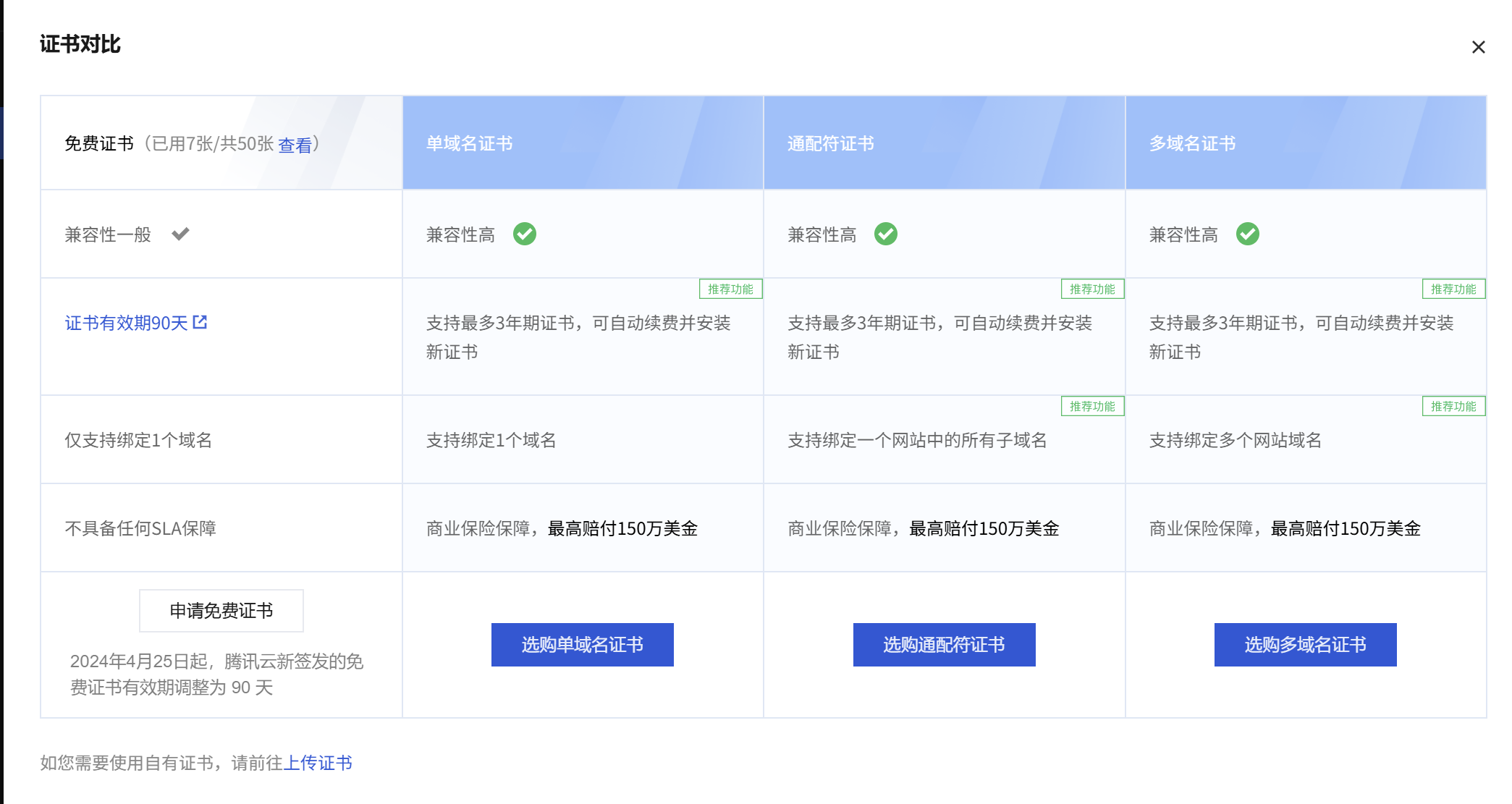
2024年4月25日起,腾讯云新签发的免费证书有效期调整为 90 天,每次网站证书都会挂掉,非常不方便,故写一个脚本,让每次证书能自动更新
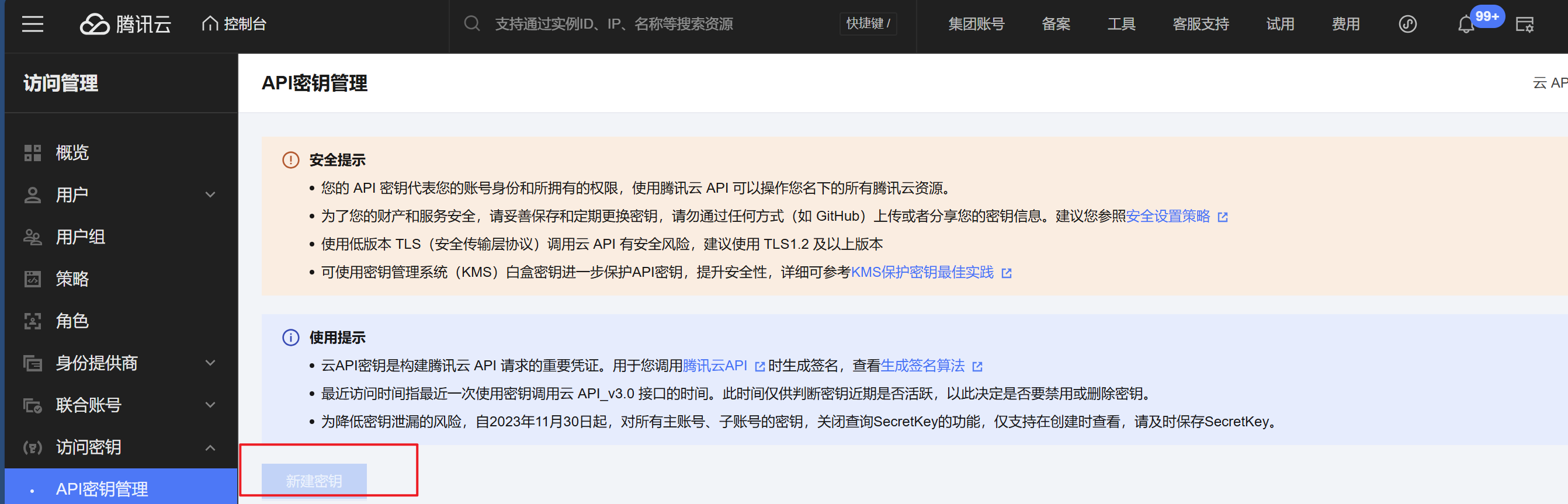
由于我们需要调用腾讯云关于证书方面的API,因此首先需去腾讯云管理台申请密钥并赋予相关权限,这里已经申请好了
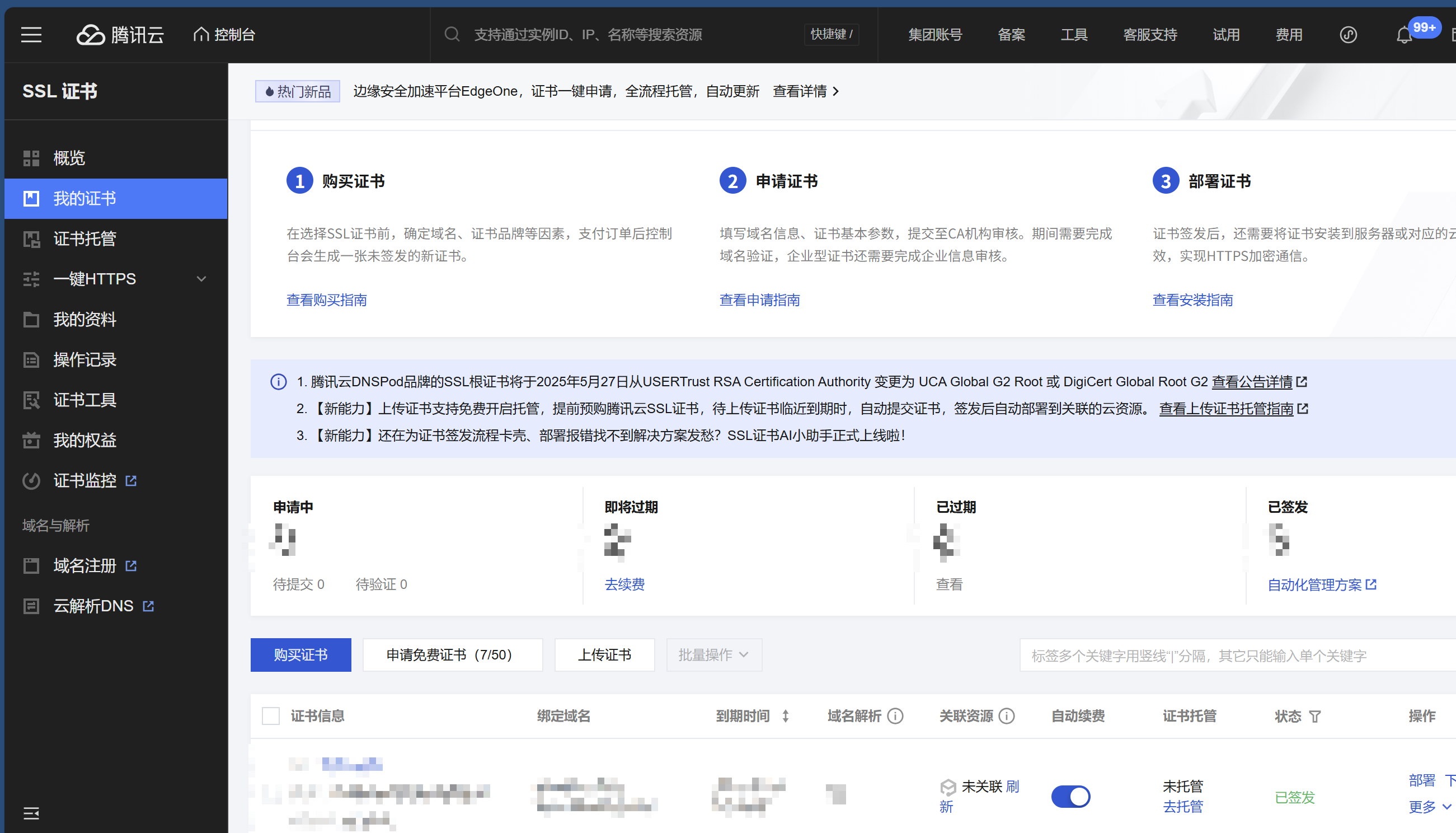
由于自动更新,我们这里在证书控制台把证书设置成自动续费
这里用到两个腾讯云关于证书方面的API,点击可以看接口文档:
查看官方文档,调用接口需要签名,我们这里用Shell脚本写下get_authorization_haeder函数,里面封装我们的请求方法
get_authorization_haeder() (
        ACTION=$1
        PAYLOAD=$2

        timestamp=$(date +%s)
        date=$(date -u -d @$timestamp +"%Y-%m-%d")

        # ************* 步骤 1:拼接规范请求串 *************
        http_request_method="POST"
        canonical_uri="/"
        canonical_querystring=""
        canonical_headers="content-type:application/json; charset=utf-8\nhost:$TENCENT_REQUEST_DOMAIN\nx-tc-action:$(echo $ACTION | awk '{print tolower($0)}')\n"
        signed_headers="content-type;host;x-tc-action"
        hashed_request_payload=$(echo -n "$PAYLOAD" | openssl sha256 -hex | awk '{print $2}')
        canonical_request="$http_request_method\n$canonical_uri\n$canonical_querystring\n$canonical_headers\n$signed_headers\n$hashed_request_payload"

        # ************* 步骤 2:拼接待签名字符串 *************
        credential_scope="$date/$TENCENT_SERVICE/tc3_request"
        hashed_canonical_request=$(printf "$canonical_request" | openssl sha256 -hex | awk '{print $2}')
        string_to_sign="$TENCENT_ALGORITHM\n$timestamp\n$credential_scope\n$hashed_canonical_request"

        # ************* 步骤 3:计算签名 *************
        secret_date=$(printf "$date" | openssl sha256 -hmac "TC3$TENCENT_SECRET_KEY" | awk '{print $2}')
        secret_service=$(printf $TENCENT_SERVICE | openssl dgst -sha256 -mac hmac -macopt hexkey:"$secret_date" | awk '{print $2}')
        secret_signing=$(printf "tc3_request" | openssl dgst -sha256 -mac hmac -macopt hexkey:"$secret_service" | awk '{print $2}')
        signature=$(printf "$string_to_sign" | openssl dgst -sha256 -mac hmac -macopt hexkey:"$secret_signing" | awk '{print $2}')

        # ************* 步骤 4:拼接 Authorization *************
        authorization="$TENCENT_ALGORITHM Credential=$TENCENT_SECRET_ID/$credential_scope, SignedHeaders=$signed_headers, Signature=$signature"

        response=$(curl -XPOST "https://$TENCENT_REQUEST_DOMAIN" -d "$PAYLOAD" \
                -H "Authorization: $authorization"      \
                -H "Content-Type: $CT_JSON"     \
                -H "Host: $TENCENT_REQUEST_DOMAIN"      \
                -H "X-TC-Action: $ACTION"       \
                -H "X-TC-Timestamp: $timestamp" \
                -H "X-TC-Version: $TENCENT_VERSION")
        echo $response
)
请求解析我们用jq来解析JSON,安装脚本
apt install jq # Ubuntu
yum install jq # CentOS
证书信息我们主要拿到Response下的Certificates下,这个是证书列表, 我们需要匹配Domain和自己域名相同的,最后拿到证书ID,脚本如下
json_response=$(get_authorization_haeder DescribeCertificates "{}")

cert_info=$(echo "$json_response" | jq -r \
        --arg target "$TARGET_DOMAIN" '
        .Response.Certificates[] |
        select(
            (.Domain == $target) or
            (.SubjectAltName |
                if type == "array" then any(. == $target)
                else . == $target end
            )
        )
')

certificate_id=$(echo "$cert_info" | jq -r '.CertificateId')
然后我们就可以调用下载接口来获取zip包了,注意返回是一个base64编码的,我们需要解码一下
response=$(get_authorization_haeder DownloadCertificate "{\"CertificateId\":\"$certificate_id\"}")

content_base64=$(echo "$response" | jq -r '.Response.Content' )

echo "$content_base64" | base64 -d > $TEMP_DIR/$timestamp/$TARGET_DOMAIN.zip
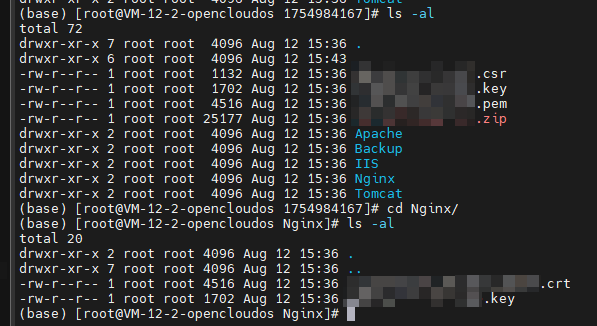
解压下来是长这样的,我们主要要拿到Nginx里面的crt和key,然后复制到对应目录下就可以了
添加到crontab,由于证书是提前一个月会自动续费,因此我这里设置成每两个月执行一次
crontab -e

# 证书自动更新
0 0 15 2,4,6,8,10,12 * /data/scripts/ssl_auto_update.sh
0 3 1 * * find /var/log/ssl_update -type f -name '*.log' -mtime +90 -delete
完整脚本:
#!/bin/bash

TENCENT_REQUEST_DOMAIN="ssl.tencentcloudapi.com"
TENCENT_ALGORITHM="TC3-HMAC-SHA256"
TENCENT_SERVICE="ssl"
TENCENT_VERSION="2019-12-05"
CT_JSON="application/json; charset=utf-8"

LOG_FILE=/var/log/ssl_update/$(date +%s).log
TEMP_DIR="/tmp/ssl"
TARGET_DIR="/etc/nginx/conf.ssl.d/<domain>_nginx"
SSL_TYPE="Nginx"
CRT_TARGET_NAME="<domain>.crt"
KEY_TARGET_NAME="<domain>.key"
RELOAD_NGINX_COMMAND="docker exec -it nginx nginx -s reload"

TARGET_DOMAIN="<your domain>"
TENCENT_SECRET_ID="<your access key>"
TENCENT_SECRET_KEY="<your secret key>"

get_authorization_haeder() (
        ACTION=$1
        PAYLOAD=$2

        timestamp=$(date +%s)
        date=$(date -u -d @$timestamp +"%Y-%m-%d")

        # ************* 步骤 1:拼接规范请求串 *************
        http_request_method="POST"
        canonical_uri="/"
        canonical_querystring=""
        canonical_headers="content-type:application/json; charset=utf-8\nhost:$TENCENT_REQUEST_DOMAIN\nx-tc-action:$(echo $ACTION | awk '{print tolower($0)}')\n"
        signed_headers="content-type;host;x-tc-action"
        hashed_request_payload=$(echo -n "$PAYLOAD" | openssl sha256 -hex | awk '{print $2}')
        canonical_request="$http_request_method\n$canonical_uri\n$canonical_querystring\n$canonical_headers\n$signed_headers\n$hashed_request_payload"

        # ************* 步骤 2:拼接待签名字符串 *************
        credential_scope="$date/$TENCENT_SERVICE/tc3_request"
        hashed_canonical_request=$(printf "$canonical_request" | openssl sha256 -hex | awk '{print $2}')
        string_to_sign="$TENCENT_ALGORITHM\n$timestamp\n$credential_scope\n$hashed_canonical_request"

        # ************* 步骤 3:计算签名 *************
        secret_date=$(printf "$date" | openssl sha256 -hmac "TC3$TENCENT_SECRET_KEY" | awk '{print $2}')
        secret_service=$(printf $TENCENT_SERVICE | openssl dgst -sha256 -mac hmac -macopt hexkey:"$secret_date" | awk '{print $2}')
        secret_signing=$(printf "tc3_request" | openssl dgst -sha256 -mac hmac -macopt hexkey:"$secret_service" | awk '{print $2}')
        signature=$(printf "$string_to_sign" | openssl dgst -sha256 -mac hmac -macopt hexkey:"$secret_signing" | awk '{print $2}')

        # ************* 步骤 4:拼接 Authorization *************
        authorization="$TENCENT_ALGORITHM Credential=$TENCENT_SECRET_ID/$credential_scope, SignedHeaders=$signed_headers, Signature=$signature"

        response=$(curl -XPOST "https://$TENCENT_REQUEST_DOMAIN" -d "$PAYLOAD" \
                -H "Authorization: $authorization"      \
                -H "Content-Type: $CT_JSON"     \
                -H "Host: $TENCENT_REQUEST_DOMAIN"      \
                -H "X-TC-Action: $ACTION"       \
                -H "X-TC-Timestamp: $timestamp" \
                -H "X-TC-Version: $TENCENT_VERSION")
        echo $response
)

json_response=$(get_authorization_haeder DescribeCertificates "{}")

cert_info=$(echo "$json_response" | jq -r \
        --arg target "$TARGET_DOMAIN" '
        .Response.Certificates[] |
        select(
            (.Domain == $target) or
            (.SubjectAltName |
                if type == "array" then any(. == $target)
                else . == $target end
            )
        )
')

if [ -z "$cert_info" ] || [ "$cert_info" == "null" ]; then
        echo "未找到域名 '$TARGET_DOMAIN' 的证书信息, 返回结果: $json_response" >> $LOG_FILE
        exit 1
fi

certificate_id=$(echo "$cert_info" | jq -r '.CertificateId')
echo "下载证书[$certificate_id]" >> $LOG_FILE

response=$(get_authorization_haeder DownloadCertificate "{\"CertificateId\":\"$certificate_id\"}")
content_base64=$(echo "$response" | jq -r '.Response.Content' )

if [ -z "$content_base64" ] || [ "$content_base64" == "null" ]; then
        echo "下载证书失败, 返回结果: $response" >> $LOG_FILE
        exit 1
fi

timestamp=$(date +%s)
mkdir -p $TEMP_DIR/$timestamp
echo "$content_base64" | base64 -d > $TEMP_DIR/$timestamp/$TARGET_DOMAIN.zip
unzip $TEMP_DIR/$timestamp/$TARGET_DOMAIN.zip -d $TEMP_DIR/$timestamp
echo "成功解压到临时文件夹: $TEMP_DIR/$timestamp" >> $LOG_FILE

mkdir -p $TEMP_DIR/$timestamp/Backup
cp -r $TARGET_DIR/* $TEMP_DIR/$timestamp/Backup
echo "当前配置备份到 $TEMP_DIR/$timestamp/Backup" >> $LOG_FILE

cp -f $TEMP_DIR/$timestamp/$SSL_TYPE/*.key $TARGET_DIR/$KEY_TARGET_NAME
cp -f $TEMP_DIR/$timestamp/$SSL_TYPE/*.crt $TARGET_DIR/$CRT_TARGET_NAME
echo "文件替换完成" >> $LOG_FILE

eval "$RELOAD_NGINX_COMMAND"
echo "重载Nginx完成"    >> $LOG_FILE